
I decided to connect my .lk domain to Cloudflare. Before connecting, I needed to change my default nameservers to Cloudflare nameservers. Here I’m sharing my own experience: what I did and how I made the changes. Let me introduce my steps, and it will help you to connect your domain name to Cloudflare.
Create a Cloudflare Account and Add a Domain Name
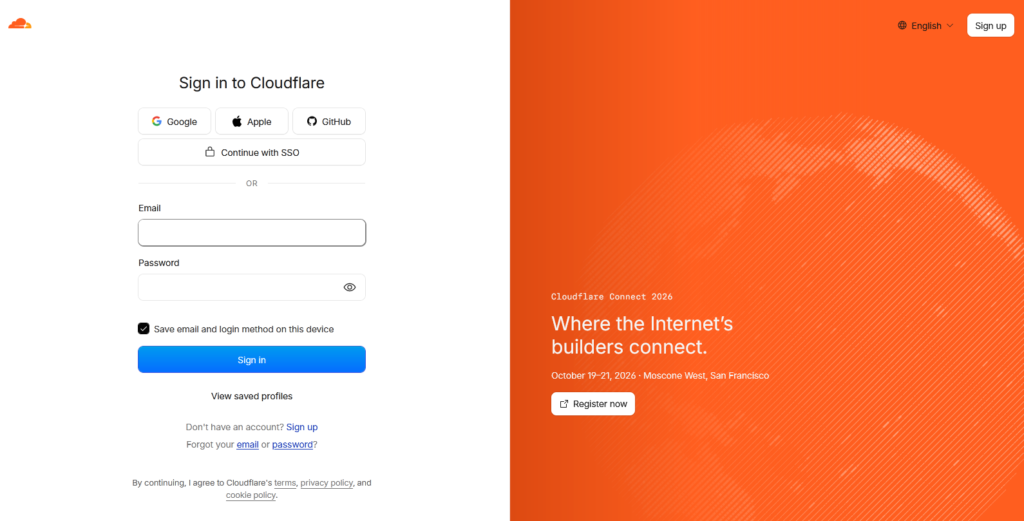
First, I created a new Cloudflare account using my Gmail and activate/verify using by email address confirmation.
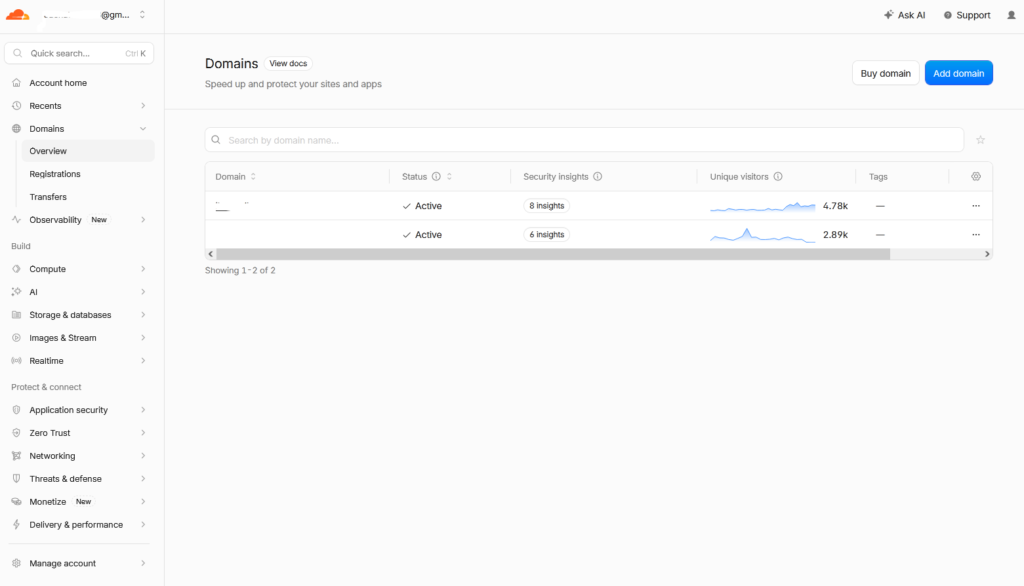
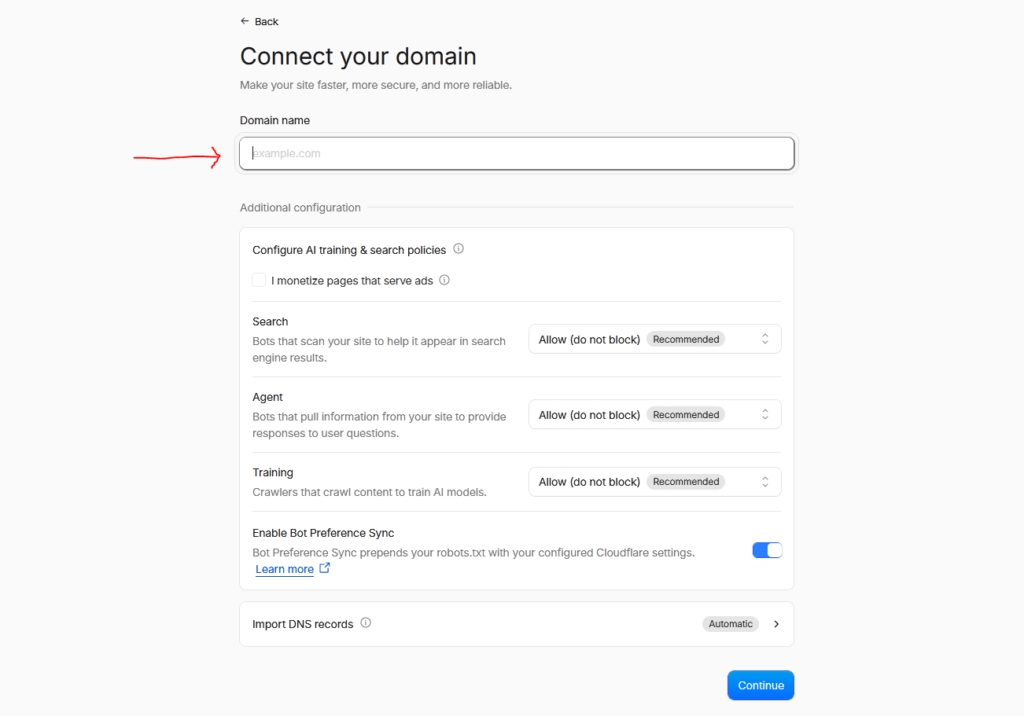
Create my Cloudflare account i see the dashboard left side “Domains” and after cliking “Add Domain” blue button I can add my domain name after clicking “Connect a domain” section.
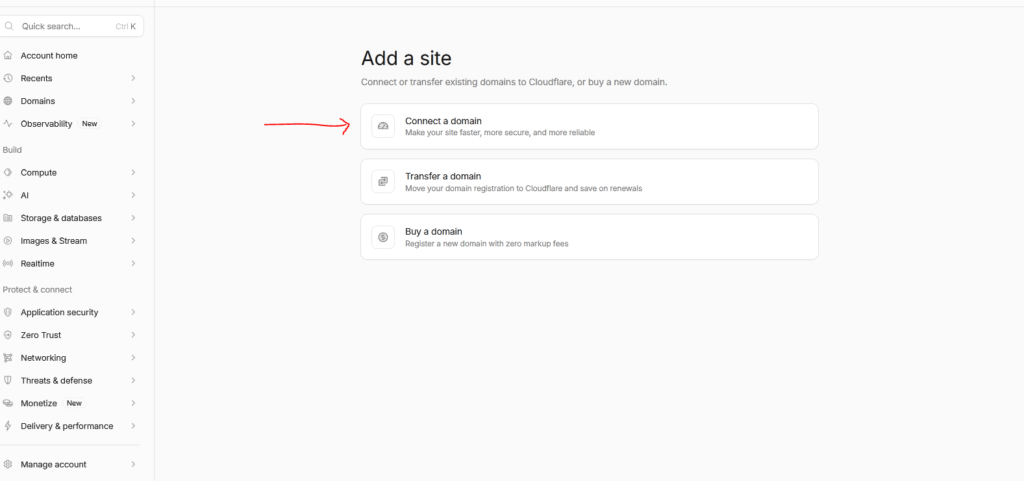
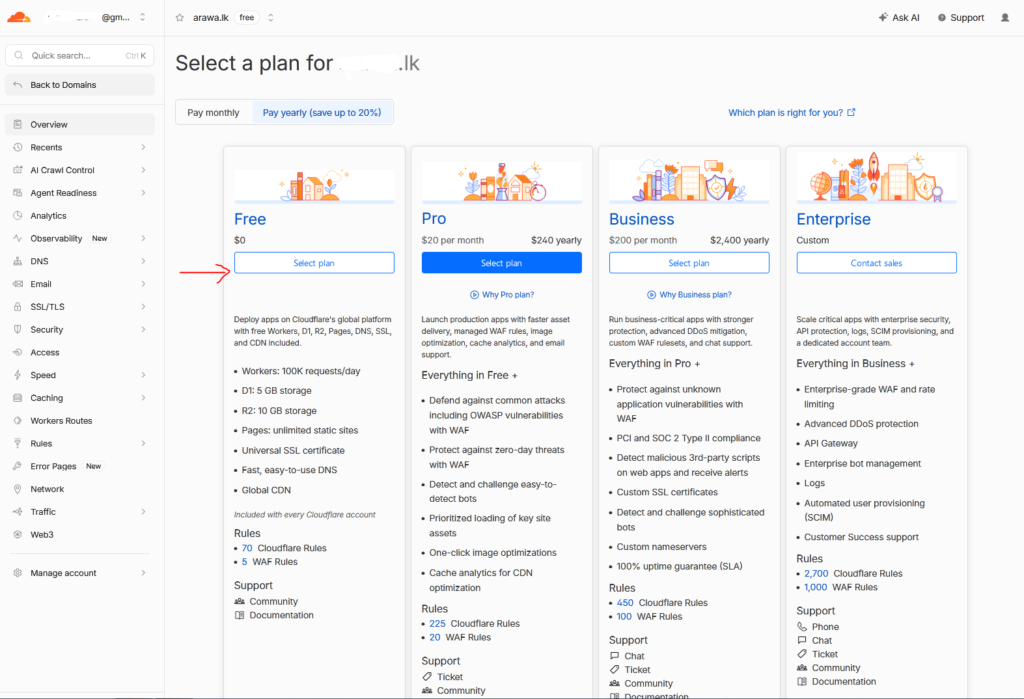
Adding my domain name is an easy part because i can simply add my domain name into the section. After adding my domain name, I move forward and click the blue ” Continue ” button. There are 4 plan to choose, free plane enough to my work and domain security.
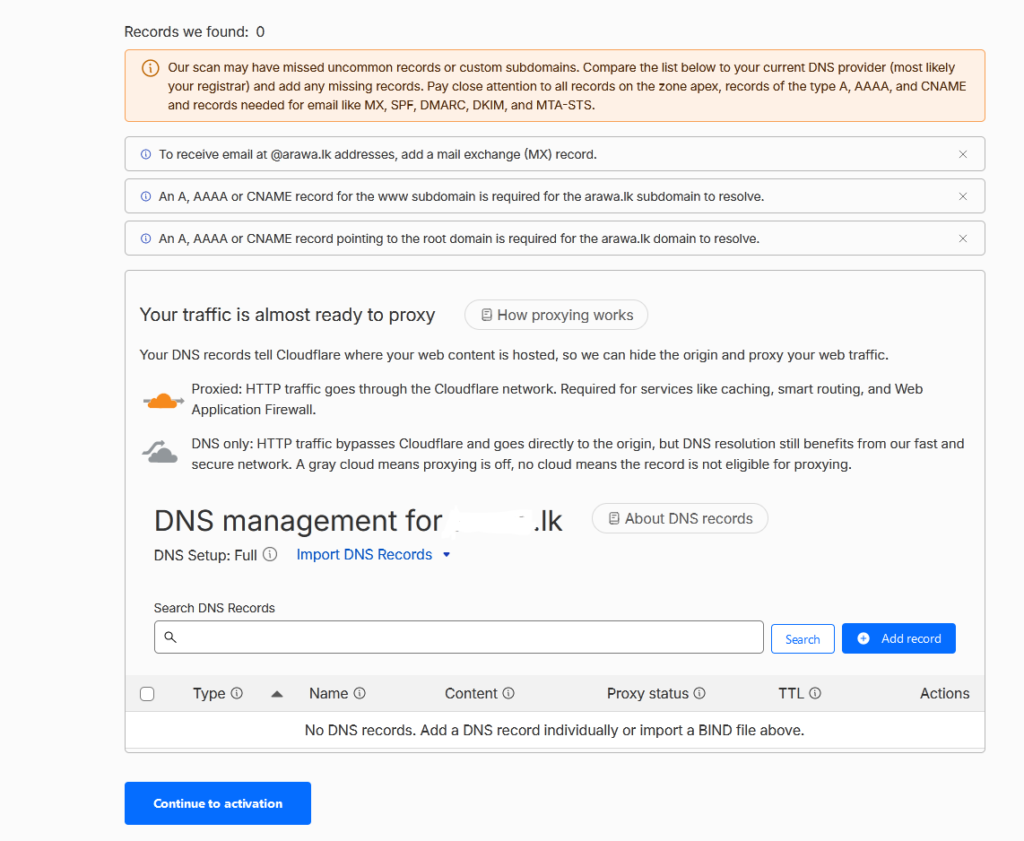
DNS Management and Nameservers
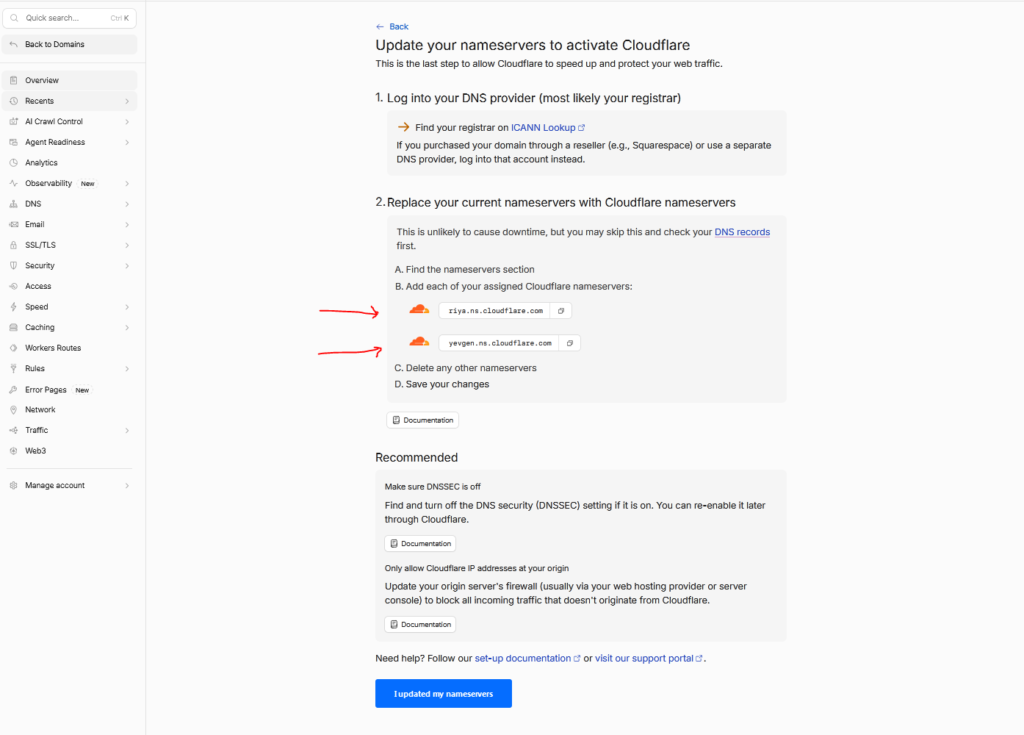
This is the final step for I setup Cloudflare in connect the my .lk domain. The last step i see Cloudflare asking me to add their nameservers.
Replacing my current nameservers with Cloudflare’s new nameservers can successfully connect my .lk domain to the Cloudflare account.
Here are the provided Cloudflare nameservers.
riya.ns.cloudflare.com
yevgen.ns.cloudflare.com
Replace Current Nameservers
After copying the two Cloudflare nameservers, I put these nameservers on my .lk domain name. In this step, I use my Register.lk account for this step. In the below screenshot i provided i paste cloudflare namesevers to my register.lk domain nameservers.
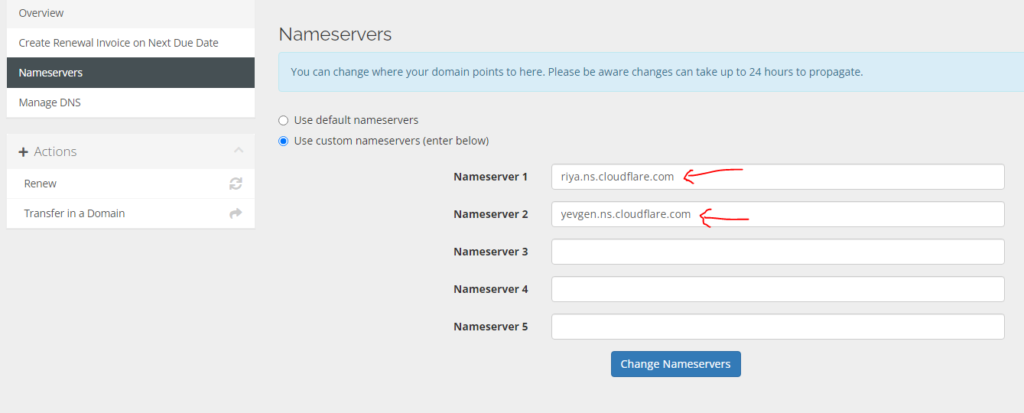
After I click the “Change Nameservers” button, I see it successfully connect, and the new nameservers update within 24 hours.
My Mistakes and How I Fixed
Before I did these steps, I made several mistakes before successfully setting up this setup.
Selecting the wrong Cloudflare plan: First I misunderstood selecting Cloudflare plans and i select paid place for add to domain. But after I changed it to the free plan because the free plan also gives me more features.
Missing characters in my domain: Before I added the domain name, it was missing some letters in my domain. After double-checking, I pasted my domain name correctly and finished all steps correctly.
What Are The Benefits of Connecting the LK Domain To Cloudflare
During my setup, I found some major benefits of using Cloudflare with LK domains; here i put some special benefits below.
- Free SSL Certificate: Many LK domain providers charge extra for an SSL certificate; with Cloudflare, you can use free SSL to protect your website.
- Web Application Firewall: Blocks bad bots and attacks.
- Provide a Content Delivery Network (CDN): Makes your website faster.
- DDoS Protection: Extra protection from DDoS attacks.
| Cloudflare Official website link: | https://www.cloudflare.com/ |
| Related Articles | Click Here |